TOMO Feature Inventory

For Developer Handoff | Last Updated: Jan 24, 2026

How to Read This Document

Preview: Stats Page

Stats page preview
10
Pages
78
Modules
5
Systems
Legend
Type
PAGE Full screen MODULE Component within page
Belt Access (who sees this)
All Everyone W White only B Blue only B+ Blue & up P+ Purple & up Br+ Brown & up
Build Status
Done Complete Partial In progress Planned Not built
Screenshot pending
(first-run only)
What is this page?

The first-time user experience. Users see this once when they first open the app. It collects the minimum information needed to personalize the app: their name and belt level.

User goal: Get into the app quickly without friction.

Our goal: Get their belt level (required for personalization) and mic permission (required for voice logging).

File: Onboarding.tsx | Route: shown when user.hasCompletedOnboarding = false
Welcome Screen MODULEAllDone
The first thing users see. Shows TOMO logo and a brief tagline explaining the app is a voice-first BJJ journal.
Why it matters
Sets the tone. Users should immediately understand: "This app lets me talk about my training instead of typing."
Dev Reference
No data saved. Just a static screen with a "Get Started" button.
Name Input MODULEAllDone
Asks "What should we call you?" with a single text input. Used throughout the app for personalized greetings like "Great session, Marcus!"
Why it matters
Personalization builds connection. The app feels less like software and more like a training partner when it uses your name.
Dev Reference
Data saved: user.name (string)
Validation: Required, non-empty
Storage: localStorage now, Supabase users.name later
Belt Selection MODULEAllDone
User picks their current BJJ belt: White, Blue, Purple, Brown, or Black. This is the most important onboarding step because it drives ALL personalization in the app.
This is critical to understand

Belt level changes EVERYTHING: what stats are shown, how the AI talks to them, what features are visible, what content they see, and what "success" looks like. A white belt's app experience is fundamentally different from a purple belt's.

Why it matters
  • White belts need encouragement and survival tips
  • Blue belts are building systems and need organization
  • Purple belts are refining and need depth
  • Brown/Black are teaching and need legacy tracking
Dev Reference
Data saved: user.belt (enum: 'white' | 'blue' | 'purple' | 'brown' | 'black')
UI: 5 large buttons (80px touch targets) with belt colors
Required: Yes, cannot skip
Can change later: Yes, in Profile settings
Microphone Permission MODULEAllDone
Explains why we need microphone access, then triggers the iOS permission popup. Voice logging is our core feature—users talk about their training instead of typing when they're exhausted.
Why it matters
Without mic permission, the app's main value prop (voice logging) doesn't work. But we don't force it—users can still use text-only mode if they deny.
Dev Reference
Data saved: user.loggingPreference ('voice' | 'text' | 'undecided')
iOS: Triggers NSMicrophoneUsageDescription permission
If denied: Falls back to text mode, can re-request from Settings later
Ready Screen MODULEAllDone
Confirmation screen: "You're all set!" Shows the user is ready to start using TOMO. Has a prominent "Start Your First Journal Session" button.
Why it matters
Celebrates completing onboarding and creates momentum toward the first action (logging a session).
Dev Reference
Data saved: user.hasCompletedOnboarding = true
Navigation: Button goes to Journal Session Logger page
Stats page screenshot
What is this page?

The home screen / dashboard. Users land here after onboarding. Shows their training stats, recent activity, and personalized insights. This is where users spend time when NOT logging—they're reviewing their progress.

User context: Relaxed, browsing at home or commuting. NOT exhausted like when logging.

Belt personalization: Different belts see different primary metrics (white belt sees "sessions this month", purple belt sees "techniques drilled").

File: Dashboard.tsx | Route: /dashboard (default tab)
Greeting Header MODULEAllDone
Personalized greeting at the top: "Hey Marcus" plus a contextual message based on time of day and recent activity (e.g., "3 days since your last session").
Why it matters
Creates warmth and shows the app "knows" you. The contextual message subtly nudges return behavior.
Dev Reference
Data used: user.name, sessions[].date (for "days since last session")
Logic: Greeting changes by time: "Good morning" / "Good afternoon" / "Good evening"
Hero Stat Display MODULEAllDone
Giant number showing the user's primary metric. The metric shown depends on their belt level. White belts see "Total Sessions" (celebrate showing up). Purple belts see "Techniques Logged" (celebrate depth).
Belt-specific primary metric

White: "Sessions This Month" | Blue: "Current Streak" | Purple+: "Techniques Logged"

Why it matters
The #1 number users see should reflect what matters at their level. White belts care about consistency. Purple belts care about mastery depth.
Dev Reference
Data used: sessions[] array, techniques[] array
Calculated: Count filtered by belt-specific rules
UI: 144px Unbounded font, weight 800-900
Config: belt-system/dashboard.ts defines which metric per belt
Secondary Stats Row MODULEAllDone
Row of 3-4 smaller stat cards below the hero number. Shows supporting metrics like training streak, Gi vs No-Gi split, win/loss ratio, or hours trained.
Why it matters
Gives context to the primary stat. Users want the full picture of their training without having to dig.
Dev Reference
Data used: sessions[].trainingType, sessions[].rolls[].outcome
Components: StatCard.tsx with size="small"
Belt variation: White sees simpler stats (no win/loss), Purple+ sees detailed breakdowns
Training Streak MODULEAllDone
Shows current consecutive week streak. "5 weeks strong" with a flame icon. A week counts if user logged at least one session that week.
Why it matters
Streaks create habit loops. The fear of "breaking the streak" drives consistency—especially for white/blue belts who are building the training habit.
Dev Reference
Data used: sessions[].date
Calculation: Count consecutive weeks with >=1 session, going backwards from current week
Display: Number + "weeks" + flame icon
Quick Log Button MODULEAllDone
Prominent floating action button (FAB) to start a new journal session. Always visible, typically bottom-right corner. Gold color to stand out.
Why it matters
The primary action in the app should be one tap away, always. Users shouldn't have to hunt for "log session."
Dev Reference
Navigation: Opens Journal Session Logger page
UI: 56-80px touch target, gold (#F5A623) background
Icon: Plus or microphone icon
Recent Sessions List MODULEAllDone
Shows last 3-5 journal sessions with date, training type (Gi/No-Gi), and a brief preview of notes. Tapping goes to full session detail.
Why it matters
Quick access to recent entries without navigating to History. Users often want to add to or review their last session.
Dev Reference
Data used: sessions[] array, sorted by date descending, limited to 5
Display: SessionCard component with compact=true
Navigation: Tap goes to /session/:id (Journal Entry Detail page)
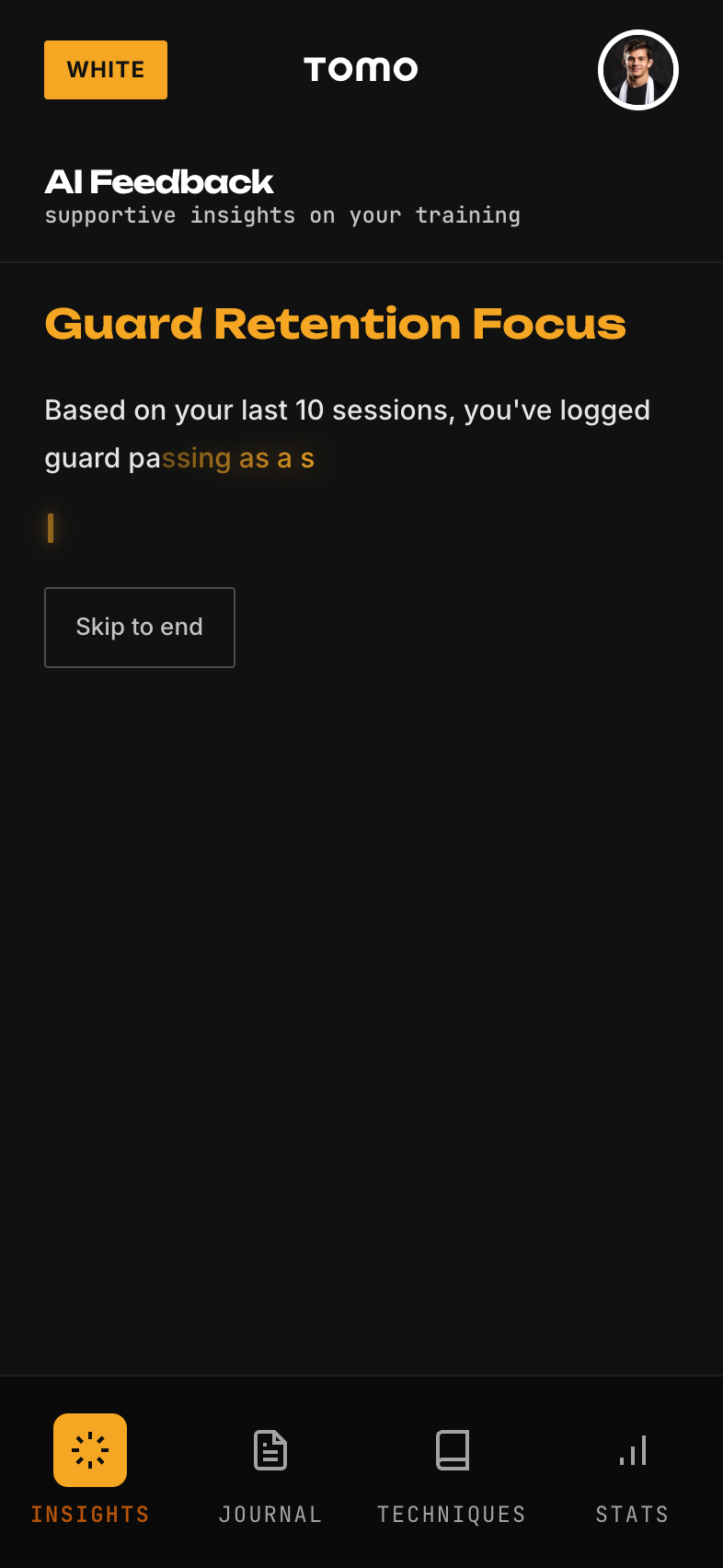
Insights Grid MODULEB+Done
Grid of AI-generated insight cards based on journal session data. Examples: "Your closed guard is improving—3 sweeps this month" or "You haven't drilled leg locks in 2 weeks."
Hidden from White belts

White belts don't see this module. They don't have enough data yet, and showing "you need to improve X" can discourage beginners who are still just trying to survive.

Why it matters
Transforms raw journal data into actionable coaching. Users don't have to analyze patterns themselves—the app surfaces them.
Dev Reference
Data used: sessions[].techniques, sessions[].rolls, sessions[].notes
Processing: Pattern analysis across sessions (technique frequency, position outcomes, time gaps)
Belt variation: Blue sees basic patterns, Purple+ sees advanced correlations
Config: belt-system/insights.ts defines insight types per belt
Goals Progress MODULEB+Partial
Shows progress toward user-set goals. Example: "Train 3x/week: 2/3 this week" with a progress bar. Goals are set in Profile.
Why it matters
Explicit goals with visible progress increase accountability. Seeing "2/3" creates motivation to hit the third session.
Dev Reference
Data used: user.goals[] array, sessions[] for progress calculation
Goal types: frequency (sessions/week), technique focus, competition prep
Status: Goal setting UI is built, progress display is partial
Weekly Activity Chart MODULEP+Planned
Visual chart showing training frequency over the past 4-8 weeks. Bar chart or heat map style. Helps users see patterns in their consistency.
Why it matters
Visual patterns are easier to grasp than numbers. Users instantly see "I always skip Thursdays" or "I trained more last month."
Dev Reference
Data used: sessions[].date aggregated by week
Display: Chart component (library TBD—likely recharts or custom SVG)
Status: Not built yet
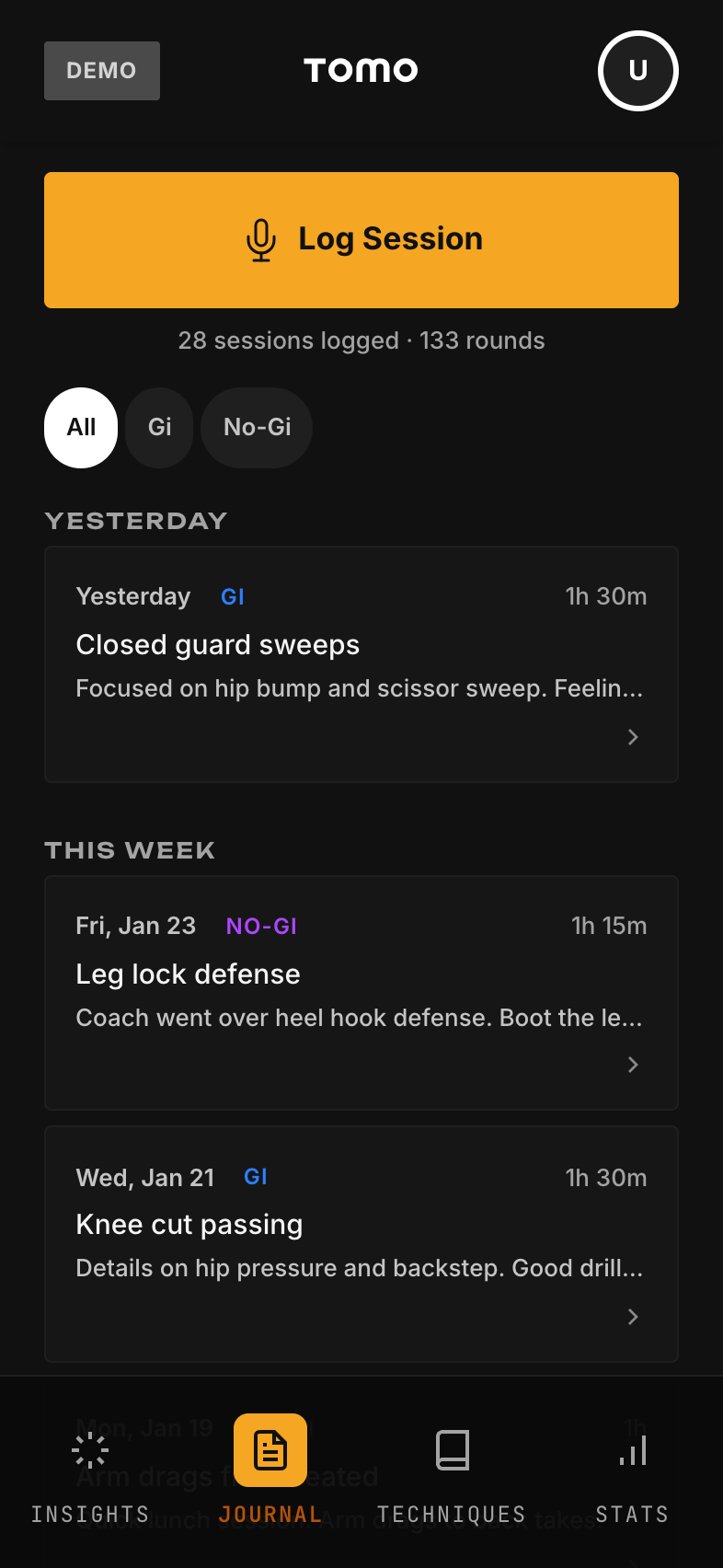
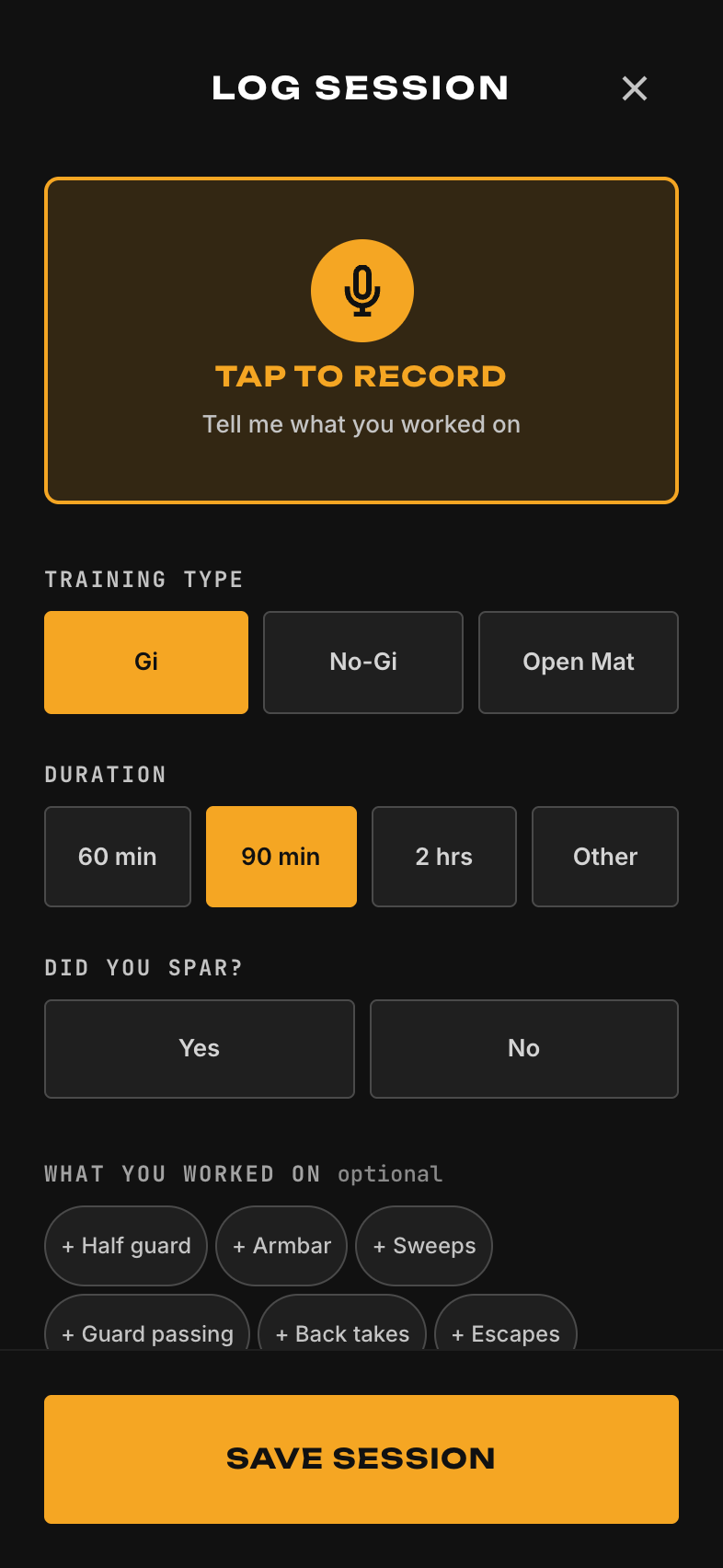
Journal Session Logger screenshot
What is this page?

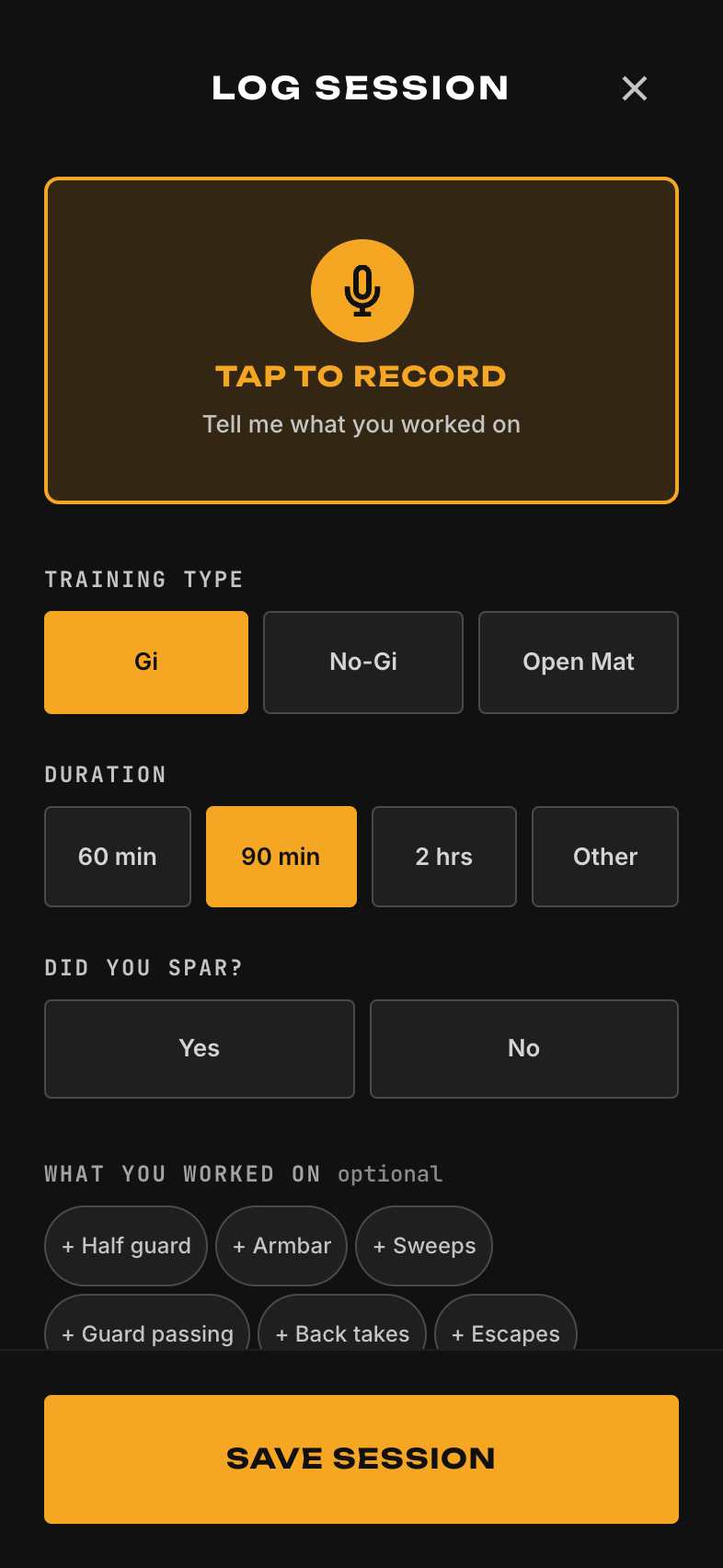
THE core feature of TOMO. This is where users log what happened in their training session. It's designed for voice-first input because users are physically and mentally exhausted after training.

The Exhausted User Principle

Users logging a session just finished training. They're sweaty, tired, in the gym parking lot, with maybe 90 seconds of attention. EVERYTHING on this page must respect that: huge touch targets, one question at a time, voice-first, skip always available.

User context: EXHAUSTED. Physically depleted, cognitively fatigued, 90-second attention window max.

Design mandate: Minimize friction above all else. Every tap or question that isn't essential = potential dropout.

Files: SessionLogger.tsx (wrapper), VoiceFirstLogger.tsx (voice mode) | Route: /log
Mode Toggle MODULEAllDone
Lets user switch between Voice mode and Text mode. Respects their saved preference but always allows switching. Voice is default if they granted mic permission.
Why it matters
Some situations require text (loud gym, public place). Never force voice-only. Flexibility respects user context.
Dev Reference
Data used: user.loggingPreference
UI: Segmented control or toggle at top of page
Behavior: Switching mid-session preserves any data already entered
Voice Recording Interface MODULEAllDone
Big microphone button to start/stop recording. Shows audio waveform while recording. User talks naturally: "Did no-gi today, worked on guillotines, got tapped by a blue belt twice."
Why it matters
This is THE differentiator. Talking is 3x faster than typing and requires less cognitive effort when exhausted. Users capture more detail because it's effortless.
Dev Reference
Tech: expo-av for recording, AssemblyAI for transcription
UI: Pulsing mic button (80px), waveform visualization, recording timer
Output: Audio file + transcribed text
Transcription Display MODULEAllDone
Shows the transcribed text after voice recording. User can review and edit if needed. Smart parsing highlights detected techniques, training type, and rolling outcomes.
Why it matters
Transparency in what was captured. Users trust the system more when they see their words. Editing fixes any transcription errors.
Dev Reference
Data flow: Audio → AssemblyAI → raw text → smart parser → structured data
Parser detects: training type (gi/nogi), techniques mentioned, outcome language (tapped, swept, escaped)
UI: Editable textarea with highlighted parsed entities
Text Input Fallback MODULEAllDone
Single large textarea for typing notes when voice isn't available or preferred. Same smart parsing applies to typed text.
Why it matters
Accessibility and flexibility. Some users prefer typing, some situations require it. Never leave users without an option.
Dev Reference
UI: Large textarea (min 120px height), auto-expanding, placeholder text with examples
Same parser: Runs on text input, extracts same structured data as voice
Date/Time Picker MODULEAllDone
Defaults to "now" but allows user to change if logging a past session. Simple date picker, not overwhelming.
Why it matters
95% of logs are "just trained, logging now" so default to now. But users need to backfill missed sessions sometimes.
Dev Reference
Data saved: session.date (ISO timestamp)
Default: Current date/time
UI: Collapsed by default, "Trained today" chip that expands to date picker
Training Type Selector MODULEAllDone
Two big buttons: "Gi" and "No-Gi". Quick selection of what type of training. Can be auto-detected from voice ("did no-gi today").
Why it matters
Fundamental BJJ data point. Techniques differ between Gi and No-Gi. Stats are often split by training type.
Dev Reference
Data saved: session.trainingType ('gi' | 'nogi' | 'both')
UI: Two large toggle buttons (56px height), gold highlight on selected
Smart parse: Auto-selects if detected in voice/text ("did nogi", "trained in the gi")
Technique Chips MODULEAllDone
Visual chips showing techniques detected from voice/text. "Armbar" "Kimura" "Closed Guard". User can tap to remove false positives or add more from suggestions.
Why it matters
Structured technique data enables the Technique Library and insights. Chips make it easy to verify and correct without typing.
Dev Reference
Data saved: session.techniques[] (array of technique IDs)
Detection: Fuzzy match against techniques database (handles "arm bar", "armbar", "arm-bar")
UI: Horizontal scrolling chip row, tap to remove, + button to add manually
Rolling Log MODULEB+Done
Log individual rolls/sparring rounds. For each roll: partner (optional), outcome (tapped them, got tapped, draw), notes. Parsed from voice or entered manually.
Hidden from White belts

New white belts don't need win/loss tracking—it creates wrong incentives. They should focus on surviving and learning, not scorekeeping.

Why it matters
Granular rolling data powers insights like "you get tapped most from back mount" or "you win 60% against blue belts."
Dev Reference
Data saved: session.rolls[] array with { partner?, outcome, position?, submission?, notes? }
Outcomes: 'win' | 'loss' | 'draw' | 'positional'
Smart parse: Detects "tapped him with a triangle", "got caught in a heel hook"
Energy/Mood Rating MODULEAllDone
Simple 1-5 scale for "How do you feel?" Quick tap, not required. Tracks physical and mental state over time.
Why it matters
Correlates mood/energy with performance. Users discover patterns like "I roll better when I'm rested" or "Thursday sessions are always low energy."
Dev Reference
Data saved: session.energyLevel (1-5), session.mood (1-5)
UI: 5 tappable icons or numbers in a row, horizontal
Optional: User can skip, not required for save
Injury Flag MODULEAllDone
Toggle to mark "Got injured this session" with optional body part and severity. Important for tracking injury patterns and recovery.
Why it matters
Injuries are a major BJJ concern. Tracking them helps users see patterns (always hurting knee on leg locks) and remember recovery timelines.
Dev Reference
Data saved: session.injury { bodyPart, severity (1-3), notes }
Smart parse: Detects injury language ("tweaked my shoulder", "knee is sore")
Risk signal: Frequent injuries trigger risk detection system
Review Screen MODULEAllDone
Summary of everything captured before saving. Shows date, training type, techniques, rolls, notes in a clean review format. User can tap any section to edit.
Why it matters
Confirmation builds trust. Users see exactly what's being saved. Catches errors before they're committed.
Dev Reference
UI: Card-style summary with edit icons per section
Actions: "Save Session" (primary), "Edit" per section, "Discard" (with confirmation)
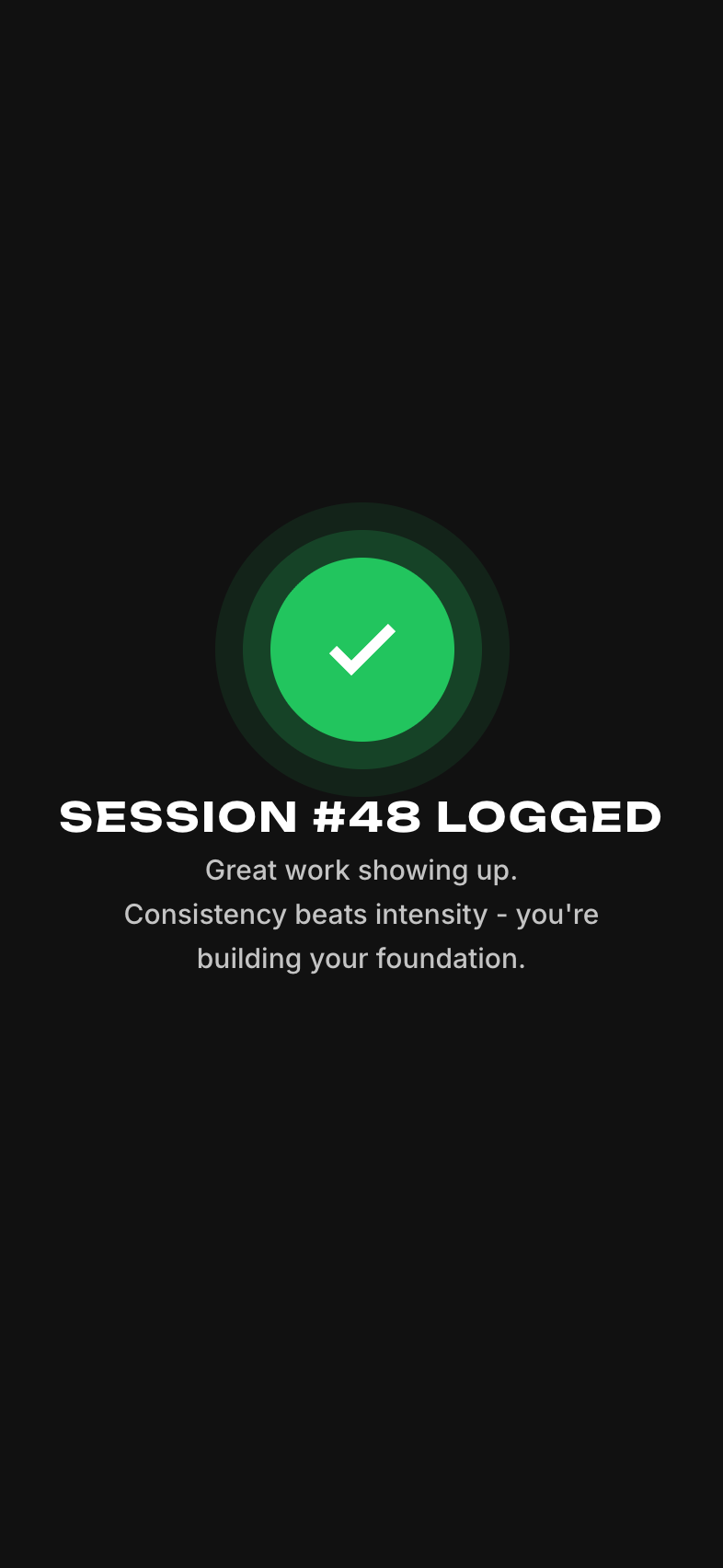
Success Confirmation MODULEAllDone
Celebratory screen after saving. Belt-personalized message: White belt gets "Another session in the books!" Purple belt gets "Quality work on those details." Shows updated stats.
Why it matters
Positive reinforcement. The moment after saving should feel good. Celebration calibrated to belt level avoids patronizing experienced users.
Dev Reference
Config: belt-system/session-logger.ts defines postSessionMessage per belt
Data shown: Updated streak, session count, maybe a stat that improved
Navigation: "View Session" goes to detail, "Done" goes to Stats page
Journal History screenshot
What is this page?

Scrollable list of all past journal sessions. Users browse their training history, search for specific sessions, and filter by criteria. This is the "journal" in "training journal."

User context: Relaxed browsing. Looking back at training history, maybe searching for "that session where I learned the coyote guard."

File: SessionHistory.tsx | Route: /history
Session Card List MODULEAllDone
Vertical scrolling list of session cards. Each card shows: date, training type badge (Gi/No-Gi), preview of notes, technique count. Tapping opens full detail.
Why it matters
The core browsing experience. Scannable cards let users quickly find what they're looking for.
Dev Reference
Data used: sessions[] array, sorted by date descending
Component: SessionCard.tsx
Performance: Virtualized list for users with hundreds of sessions
Search Bar MODULEAllDone
Text search across all session notes. User types "triangle" and sees all sessions where they mentioned triangles.
Why it matters
Users build up months/years of journal data. Search is essential to find specific sessions or topics.
Dev Reference
Search fields: session.notes, session.techniques[].name
Implementation: Client-side filter now, full-text search in Supabase later
UI: Sticky search bar at top, results update as you type
Filter Pills MODULEAllDone
Quick filter buttons: "Gi", "No-Gi", "This Month", "Has Injury". Tap to toggle filters, multiple can be active.
Why it matters
Common filtering needs should be one tap, not buried in menus. Speeds up finding specific session types.
Dev Reference
Filters: trainingType, dateRange, hasInjury, hasTechniques
UI: Horizontal scrolling pill row below search bar
State: Multiple filters can be active simultaneously (AND logic)
Month Grouping MODULEAllDone
Sessions grouped by month with sticky headers: "January 2026", "December 2025". Helps users navigate chronologically.
Why it matters
Without grouping, a long list becomes overwhelming. Month headers provide mental anchors for navigation.
Dev Reference
Grouping: Group sessions[] by month/year from session.date
UI: SectionList with sticky headers
Empty State MODULEAllDone
Shown when user has no sessions yet. Friendly message encouraging first log: "Your training journal is empty. Log your first session!"
Why it matters
Empty states should guide action, not just say "nothing here." Direct users toward the primary action (logging).
Dev Reference
Component: EmptyState.tsx with variant="sessions"
CTA: "Log Your First Session" button navigates to /log
Calendar View MODULEB+Planned
Alternative view: calendar grid showing which days have sessions. Dots or highlights on training days. Tap a day to see that session.
Why it matters
Some users think visually about their training schedule. Calendar view shows consistency patterns at a glance.
Dev Reference
Status: Not built yet
UI: Monthly calendar grid, toggle between list and calendar view
Data: Same sessions[] data, different presentation
Screenshot pending
(requires session data)
What is this page?

Full view of a single journal session. Shows all details: date, training type, full notes, techniques worked, rolling results, energy level, injuries. User can edit any section.

User context: Reviewing a past session in detail, possibly editing to add forgotten info.

File: SessionDetail.tsx | Route: /session/:id
Session Header MODULEAllDone
Top section showing date/time and training type badge. "Tuesday, Jan 14, 2026 • No-Gi"
Dev Reference
Data: session.date (formatted), session.trainingType
UI: Large date text, colored badge for Gi/No-Gi
Notes Section MODULEAllDone
Full session notes displayed as text. This is the free-form content from voice transcription or text entry.
Dev Reference
Data: session.notes (string)
Edit: Tap to open text editor, preserves original + allows additions
Techniques Section MODULEAllDone
List of techniques worked during this session. Shows technique name, category (submission, sweep, etc.), and links to Technique Library entry.
Why it matters
Connects sessions to the technique database. Users can navigate from "I worked armbars" to their overall armbar progress.
Dev Reference
Data: session.techniques[] (array of technique IDs)
Display: TechniqueBadge components with tap to go to /technique/:id
Edit: Add/remove techniques via chip interface
Rolls Section MODULEB+Done
Summary of rolling/sparring from this session. Shows each roll with partner (if logged), outcome, and any notes.
Dev Reference
Data: session.rolls[] array
Display: List of roll cards with win/loss indicators
Colors: Green for wins, red for losses, gray for draws
Stats Snapshot MODULEAllDone
Quick stats for this session: energy level, mood, duration (if tracked). Visual representation with icons.
Dev Reference
Data: session.energyLevel, session.mood, session.duration
UI: Row of stat icons with values
Injury Details MODULEAllDone
If session has injury flag, shows injury details: body part, severity, notes. Highlighted in red/warning color.
Dev Reference
Data: session.injury { bodyPart, severity, notes }
Conditional: Only shown if session.injury exists
UI: Warning-styled card with injury icon
Edit Mode MODULEAllDone
Each section has an edit button. Tapping opens a bottom sheet (EditSheet) for that section. Users can modify notes, add techniques, change dates, etc.
Why it matters
Users remember things after saving. "Oh, I forgot to add that I worked on half guard." Easy editing prevents data loss.
Dev Reference
Components: EditSheet.tsx (modal), EditSections.tsx (section-specific editors)
Pattern: Staged changes—user edits, then confirms save or discards
Touch targets: 56px edit buttons (still respecting post-view exhaustion possibility)
Delete Session MODULEAllDone
Option to delete this session entirely. Requires confirmation ("Are you sure?"). Destructive action styled in red.
Dev Reference
Location: Bottom of page or in overflow menu
Confirmation: Modal with "Delete" (red) and "Cancel" buttons
Action: Removes from sessions[], navigates back to History
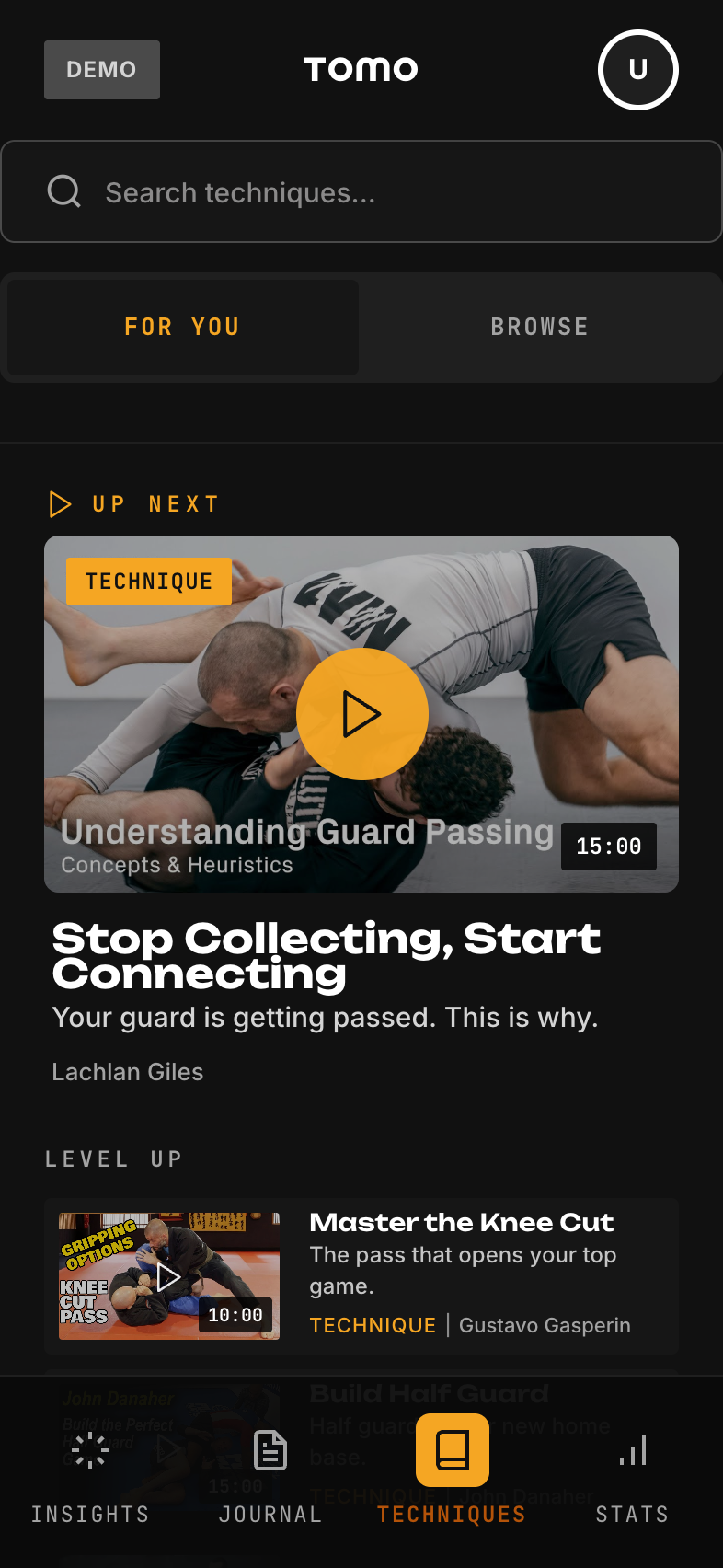
Technique Library screenshot
What is this page?

Searchable catalog of BJJ techniques. Shows all techniques the user has logged, their proficiency level, and sessions where they used each technique. Think of it as "my technique dictionary."

User context: Browsing/studying. User wants to review techniques, see their progress, or find related sessions.

File: TechniqueLibrary.tsx | Route: /techniques
Technique Grid/List MODULEAllDone
Main display of techniques. Shows technique name, category (submission, sweep, pass, etc.), and proficiency indicator. Can toggle between grid and list view.
Dev Reference
Data: techniques[] joined with userTechniqueProgress[]
Display: Name, category badge, proficiency bar or stars
Sorting: By name (A-Z), by frequency (most used), by proficiency
Search MODULEAllDone
Search techniques by name. User types "kimura" and sees the kimura and all variations (kimura from guard, kimura from side control, etc.).
Dev Reference
Search fields: technique.name, technique.aliases
Fuzzy matching: Handles typos and variations
Category Filters MODULEAllDone
Filter by technique category: Submissions, Sweeps, Passes, Escapes, Takedowns, Positions. Multiple can be selected.
Dev Reference
Categories: submission, sweep, pass, escape, takedown, position, guard
UI: Horizontal scrolling pills
Proficiency Indicators MODULEAllDone
Visual indicator showing user's proficiency with each technique: Drilling, Comfortable, Proficient, Mastered. Based on frequency logged and success rate.
Why it matters
Users can quickly see which techniques need more work vs. which are solid. Guides training focus.
Dev Reference
Data: userTechniqueProgress[technique_id] { level, timesLogged, successRate }
Calculation: Based on log frequency and roll outcomes involving this technique
UI: Progress bar or 4-level indicator
Technique Detail View MODULEAllDone
Full view of a single technique. Shows description, category, proficiency, and list of all sessions where this technique was logged.
Why it matters
Connects technique to training history. User can see "I've worked armbars in 15 sessions over 3 months."
Dev Reference
Route: /technique/:id
Data: technique details + filtered sessions[] containing this technique
Links: Each session links to Session Detail page
Related Techniques MODULEB+Partial
On technique detail, shows related techniques: "If you like Armbar, you might also work on: Triangle, Omoplata" based on category and position.
Dev Reference
Logic: Same category, same starting position, or common chains
Status: Basic version built, needs refinement
Video Tutorials Link MODULEAllPlanned
Links to external tutorial videos for each technique. Curated YouTube or instructional links so users can review how to do the technique.
Why it matters
Connects the "what" (technique name) to the "how" (instructional content). Adds learning value to the library.
Dev Reference
Data: technique.tutorialUrls[] array
Status: Not built yet, needs video curation
Screenshot pending
(accessed via profile)
What is this page?

Visualizes the user's BJJ journey: current belt, stripes, time at belt, and promotion history. Motivational page showing how far they've come.

User context: Reflective browsing. User wants to feel good about progress or estimate time to next belt.

File: BeltProgress.tsx | Route: /progress
Current Belt Display MODULEAllDone
Large visual of current belt with stripes. "Blue Belt • 2 Stripes" with a beautiful belt graphic.
Dev Reference
Data: user.belt, user.stripes
UI: BeltBadge component at large size, stripe indicators
Time at Belt MODULEAllDone
Shows how long user has been at current belt: "1 year, 4 months at Blue Belt". Calculated from promotion date.
Why it matters
Time context matters in BJJ. Users want to know if they're "on track" for promotion (even though time varies wildly).
Dev Reference
Data: user.currentBeltDate (when they got this belt)
Calculation: Difference between now and belt date in months/years
Training Stats Summary MODULEAllDone
Lifetime stats: total sessions, total hours (estimated), techniques learned, etc. Big motivational numbers.
Dev Reference
Data: Aggregated from sessions[] array
Metrics: totalSessions, estimatedHours, uniqueTechniques, longestStreak
Promotion Timeline MODULEAllDone
Visual timeline showing belt history: "White → Blue (Jan 2024) → Current". Shows the journey visually.
Why it matters
Celebrates the journey. Seeing progress from white belt is motivating, especially during plateaus.
Dev Reference
Data: user.beltHistory[] array with { belt, date, stripes }
UI: Vertical timeline with belt color indicators
Stripe Progress MODULEAllPartial
Visual of stripes earned at current belt. 4 stripe slots, filled ones highlighted. Can record stripe dates.
Dev Reference
Data: user.stripes (0-4), user.stripeHistory[]
UI: 4 stripe indicators in a row
Status: Display works, stripe date recording is partial
Promotion Recording MODULEAllDone
Button to record a new promotion: "I got promoted!" Opens flow to select new belt/stripe and date. Celebration animation.
Why it matters
Promotions are huge moments. The app should make recording them feel special.
Dev Reference
Flow: Button → Select new belt/stripe → Confirm date → Celebration → Updates user profile
Updates: user.belt, user.stripes, user.beltHistory[], user.currentBeltDate
Profile page screenshot
What is this page?

User's profile information and BJJ details. Shows/edits name, belt, gym, goals, and training history. Also where Progressive Profiling questions appear.

User context: Managing account info, answering occasional profile questions.

File: ProfileScreen.tsx | Route: /profile
Avatar Display MODULEAllDone
User's avatar image or initials placeholder. Tap to upload photo (future) or change.
Dev Reference
Data: user.avatarUrl (optional)
Fallback: Initials derived from user.name
Status: Display works, upload not implemented
Name & Belt Display MODULEAllDone
Shows user's name and current belt with stripes. Tappable to edit.
Dev Reference
Data: user.name, user.belt, user.stripes
Edit: Opens inline editor or modal for each field
Gym Information MODULEAllDone
User's home gym/academy name. Optional field, helps personalize experience and future gym features.
Dev Reference
Data: user.gym (string, optional)
Collected via: Progressive Profiling at session 7
Training Goals MODULEAllDone
User's stated training goals: "Train 3x/week", "Compete this year", "Get blue belt". Displayed and editable.
Why it matters
Goals enable personalized nudges and progress tracking. Without goals, we can't tell users "you're on track."
Dev Reference
Data: user.goals[] array with { type, target, deadline? }
Goal types: frequency, technique_focus, competition, belt_promotion
Collected via: Progressive Profiling at session 10
Training Start Date MODULEAllDone
When the user started training BJJ. Used to calculate total training time.
Dev Reference
Data: user.trainingStartDate (ISO date)
Collected via: Progressive Profiling at session 3
Progressive Profile Questions MODULEAllDone
Instead of asking everything at onboarding, we ask profile questions gradually over ~20 sessions. A question card appears when user hits a session milestone.
Progressive Profiling Schedule

Session 3: Training start date | Session 5: Stripes | Session 7: Gym name | Session 10: Goals | Session 12: Target frequency | Session 15: Current belt date | Session 18: Birth year

Why it matters
Long onboarding forms cause dropout. By asking questions over time, we get richer profiles without friction. Users can skip up to 3 times per question.
Dev Reference
Config: progressiveProfileQuestions[] array with { sessionTrigger, field, question, skipCount }
Logic: Check session count, show next unanswered question if milestone reached
Skip tracking: user.progressiveProfileSkips[field] (max 3)
Stats Summary MODULEAllDone
Quick stats on profile: total sessions, current streak, member since. Links to full Stats page.
Dev Reference
Data: Aggregated from sessions[]
Display: Row of stat cards with key numbers
Settings Link MODULEAllDone
Link/button to Settings page for app preferences, notifications, account management.
Dev Reference
Navigation: Goes to /settings
Settings page screenshot
What is this page?

App preferences and account settings. Logging preference, notifications, data management, and demo/dev tools.

User context: Occasional visits to adjust preferences. Not a high-traffic page.

File: Settings.tsx | Route: /settings
Logging Preference MODULEAllDone
Toggle between Voice-first or Text-first as default logging mode. Also option to "Always ask" which mode.
Dev Reference
Data: user.loggingPreference ('voice' | 'text' | 'ask')
UI: Radio button group or segmented control
Notification Settings MODULEAllPlanned
Control push notifications: training reminders, streak warnings, weekly summaries. Toggle each type on/off.
Dev Reference
Data: user.notificationPrefs { reminders, streakWarnings, weeklySummary }
Status: Not built yet (needs push notification infrastructure)
Demo Mode (Dev Tool) MODULEAllDone
Development tool: switch between different user personas to test belt personalization. Dropdown with all 6 test personas (white-excelling, white-at-risk, etc.).
For Testing Only

This lets devs/PMs quickly test how the app looks for different belt levels without creating multiple accounts. Will be hidden or removed in production.

Dev Reference
Personas: white-excelling, white-at-risk, blue-excelling, blue-at-risk, purple-average, brown-average
Effect: Switches user context to selected persona, reloads personalization
Data Export MODULEAllPlanned
Export all user data as JSON or CSV. Important for data portability and trust.
Dev Reference
Format: JSON (complete) or CSV (sessions only)
Status: Not built yet
Clear Data MODULEAllDone
Delete all local data and reset app. Requires confirmation. Useful for testing or starting fresh.
Dev Reference
Action: Clears localStorage, resets to onboarding state
Confirmation: Two-step confirmation ("Are you sure?" → "Type DELETE to confirm")
Microphone Permission MODULEAllDone
Shows current microphone permission status. If denied, provides instructions to enable in iOS Settings. Can re-request permission.
Dev Reference
Status check: Uses expo-av to check current permission
If denied: Deep link to iOS Settings (Linking.openSettings)
About / Version MODULEAllDone
App version number, build info, links to privacy policy and terms. Standard app footer info.
Dev Reference
Data: app.version from package.json
Links: Privacy policy URL, Terms of service URL
Not yet built
What is this page?

Help content explaining how to use TOMO. Includes video walkthroughs, tips, and FAQ. Accessible anytime from menu.

User context: Stuck or curious. Either can't figure something out or wants to learn advanced features.

Status: Mostly planned, not yet built.

File: Tutorial.tsx (planned) | Route: /tutorial
Quick Start Guide MODULEAllPlanned
Step-by-step guide to logging your first session. Text + screenshots or short video showing the voice logging flow.
Dev Reference
Content: Static guide content, possibly video embed
Status: Not built
Feature Walkthroughs MODULEAllPlanned
Detailed guides for each major feature: Voice logging, Technique tracking, Belt progress, Insights, etc.
Dev Reference
Structure: Accordion or card list, one per feature
Status: Not built
Tips & Tricks MODULEAllPlanned
Power user tips: "Say 'no-gi today' to auto-set training type", "Mention technique names to auto-tag them", etc.
Dev Reference
Content: List of tips with examples
Status: Not built
FAQ MODULEAllPlanned
Frequently asked questions: "How do I change my belt?", "Can I log past sessions?", "Is my data private?"
Dev Reference
UI: Expandable question/answer format
Status: Not built
Contact Support MODULEAllPlanned
Link to contact support: email, feedback form, or in-app chat (future).
Dev Reference
Action: Opens email compose with support address
Status: Not built
Cross-Cutting Systems
These aren't pages—they're systems that work ACROSS all pages. Your developer needs to understand these because they affect how many features work.
1. Belt Personalization System
The engine that makes the app feel different for each belt level. When a user logs in, this system determines what they see, how the AI talks to them, and what metrics matter.
Location: /prototype/src/config/belt-system/
Key files: belt-profiles.ts, dashboard.ts, session-logger.ts, insights.ts
Hook: useBeltPersonalization() returns profile, dashboard config, chatbot config, etc.
Usage: Import hook → access personalization data → render belt-specific UI
2. Progressive Profiling System
Instead of long onboarding forms, we ask profile questions gradually over ~20 sessions. The system tracks which questions to ask and when, and handles skipping.
Triggers: Session 3, 5, 7, 10, 12, 15, 18
Questions: Training start date, stripes, gym, goals, frequency, belt date, birth year
Skip logic: Users can skip up to 3 times per question, then we stop asking
Storage: user.progressiveProfileAnswers, user.progressiveProfileSkips
3. Risk Detection System
Monitors user behavior for signs they might quit BJJ. Tracks 11 warning signals with belt-specific weights. Can trigger interventions like encouraging messages.
Signals: Declining frequency, negative sentiment, injury mentions, long gaps, low energy, etc.
Belt multipliers: White belt signals weighted 1.5x (higher dropout risk)
Output: Risk score (0-100), triggered signals array, recommended intervention
Location: /prototype/src/config/belt-system/risk-signals.ts
4. Journal Pattern Analysis
Analyzes session notes text to detect patterns: ego challenges, breakthroughs, plateau frustration, injury concerns, etc. Powers insights and risk detection.
Categories: ego_challenge, breakthrough, plateau, injury_concern, social_positive, goal_progress, etc.
Input: session.notes text
Output: Array of detected patterns with confidence scores
Usage: Feed into insights generation and risk detection
5. Smart Voice Parser
Takes raw transcribed text and extracts structured data: training type, techniques mentioned, roll outcomes, injuries, mood indicators.
Input: Raw transcription text (e.g., "Did no-gi today, got tapped twice with triangles")
Output: { trainingType: 'nogi', techniques: ['triangle'], rolls: [{ outcome: 'loss' }, { outcome: 'loss' }] }
Technique matching: Fuzzy match against techniques database
Location: /prototype/src/utils/voice-parser.ts (planned)

TOMO Feature Inventory | Generated Jan 24, 2026
For questions, contact Drew Garraway